If you've ever seen a long string of random-looking characters passed around in an API request — something like eyJhbGciOiJIUzI1NiIs... — there's a good chance you were looking at a JWT. It's one of the most common ways modern APIs, including ASP.NET Core APIs, handle authentication.
What JWT Stands For, and What It Actually Is
JWT stands for JSON Web Token. It's a compact, self-contained way to represent a user's identity and claims as a signed string, so a server can verify who's making a request without looking anything up in a database on every single call.
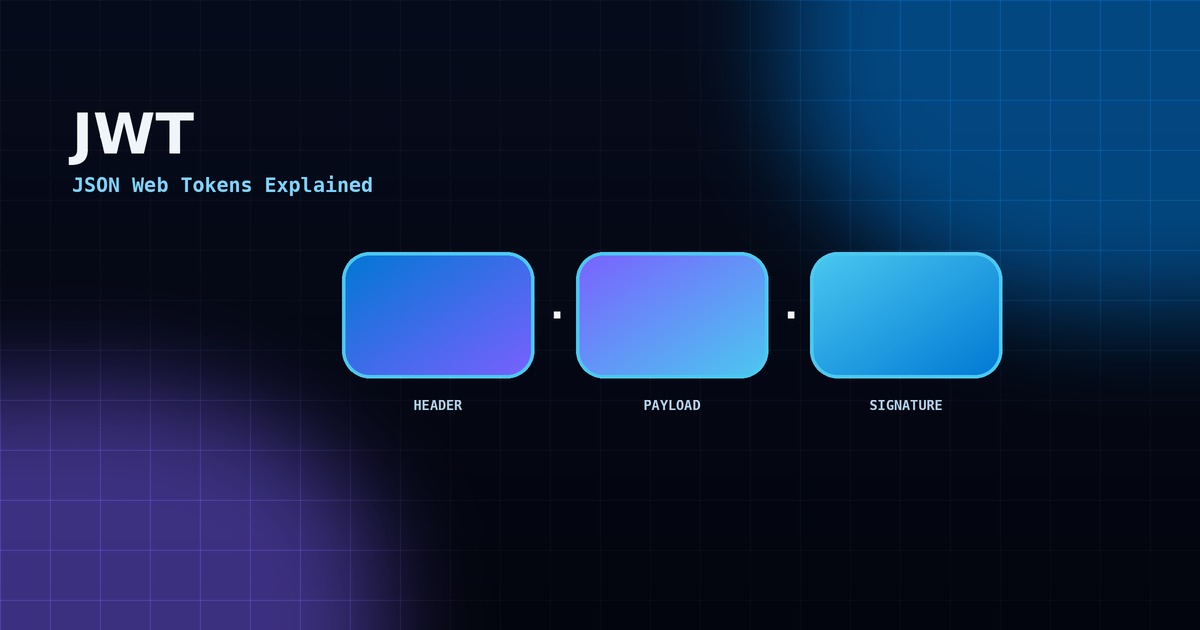
A JWT is made of three parts, separated by dots: header.payload.signature.
- Header — specifies the algorithm used to sign the token (typically
HS256orRS256). - Payload — contains the "claims": the user's ID, roles, an expiry time, and any other data the app needs.
- Signature — a cryptographic signature over the header and payload, generated with a secret key only the server knows.
Important nuance: the payload is encoded, not encrypted. Anyone can decode a JWT and read its contents — what they can't do is modify it without invalidating the signature. Never put passwords or sensitive secrets directly inside a JWT payload.
How JWT Authentication Flows in Practice
- The user logs in with a username and password.
- The server verifies the credentials and issues a signed JWT.
- The client stores the token (typically in memory or a secure cookie) and sends it in the
Authorization: Bearer <token>header on every subsequent request. - The server verifies the signature and expiry on each request — no database lookup needed for authentication itself.
Implementing JWT in ASP.NET Core
Issuing a token after a successful login typically looks like this:
var claims = new[]
{
    new Claim(JwtRegisteredClaimNames.Sub, user.Id.ToString()),
    new Claim(ClaimTypes.Role, user.Role),
};

var key = new SymmetricSecurityKey(Encoding.UTF8.GetBytes(config["Jwt:Key"]));
var creds = new SigningCredentials(key, SecurityAlgorithms.HmacSha256);

var token = new JwtSecurityToken(
    issuer: config["Jwt:Issuer"],
    audience: config["Jwt:Audience"],
    claims: claims,
    expires: DateTime.UtcNow.AddMinutes(30),
    signingCredentials: creds
);

return new JwtSecurityTokenHandler().WriteToken(token);
On the receiving end, ASP.NET Core validates every incoming token automatically once JWT Bearer authentication is registered (see the authentication guide linked below), checking the signature, issuer, audience and expiry before the request ever reaches a controller action.
Access Tokens vs Refresh Tokens
Short-lived access tokens (often 15–30 minutes) limit the damage if a token is ever stolen. But logging a user out every 30 minutes is a poor experience, so most systems pair a short-lived access token with a longer-lived refresh token, stored securely, used only to request a new access token without asking the user to log in again.
Common JWT Mistakes
- Tokens that never expire — a stolen token with no expiry is a permanent backdoor.
- Storing JWTs in
localStoragein a browser app, which is readable by any injected JavaScript (XSS risk); anHttpOnlycookie is safer for browser-based apps. - Weak signing keys — a short or guessable secret key undermines the entire signature check.
- Trusting claims blindly — always re-validate role/permission claims server-side; never assume the client sends the "true" role.
Why This Matters for Outsourced Projects in Qatar
JWT is often the first thing a security-conscious client asks about when reviewing an outsourced API build, and reasonably so — it's the backbone of how the application decides who's making each request. When outsourcing a .NET API project, it's worth asking your developer directly: what's the token expiry, is there a refresh mechanism, and where are tokens stored client-side? Those three questions cover most of the real-world JWT mistakes above.